It's the end of 2025 and I am so sick and tired of copy-pasting. I swear, if I have to type ⌘C ⌘V one more time, I'm going to throw this school-issued laptop against a wall.
I'm running an experiment where I try to use AI for every possible task at work. I know, I know. I'm wasting water, burning tokens, and driving up energy costs. But I've always been curious about what technology has recently made possible. I'm on a quest to figure out how much of my job I can automate — and then I'll go back and figure out how much of my job I should automate.
I'm a design and technology teacher, and I find chatbots are genuinely good at helping me develop lesson plans, build learning resources, and draft feedback on student work. I know I'm not alone in this.
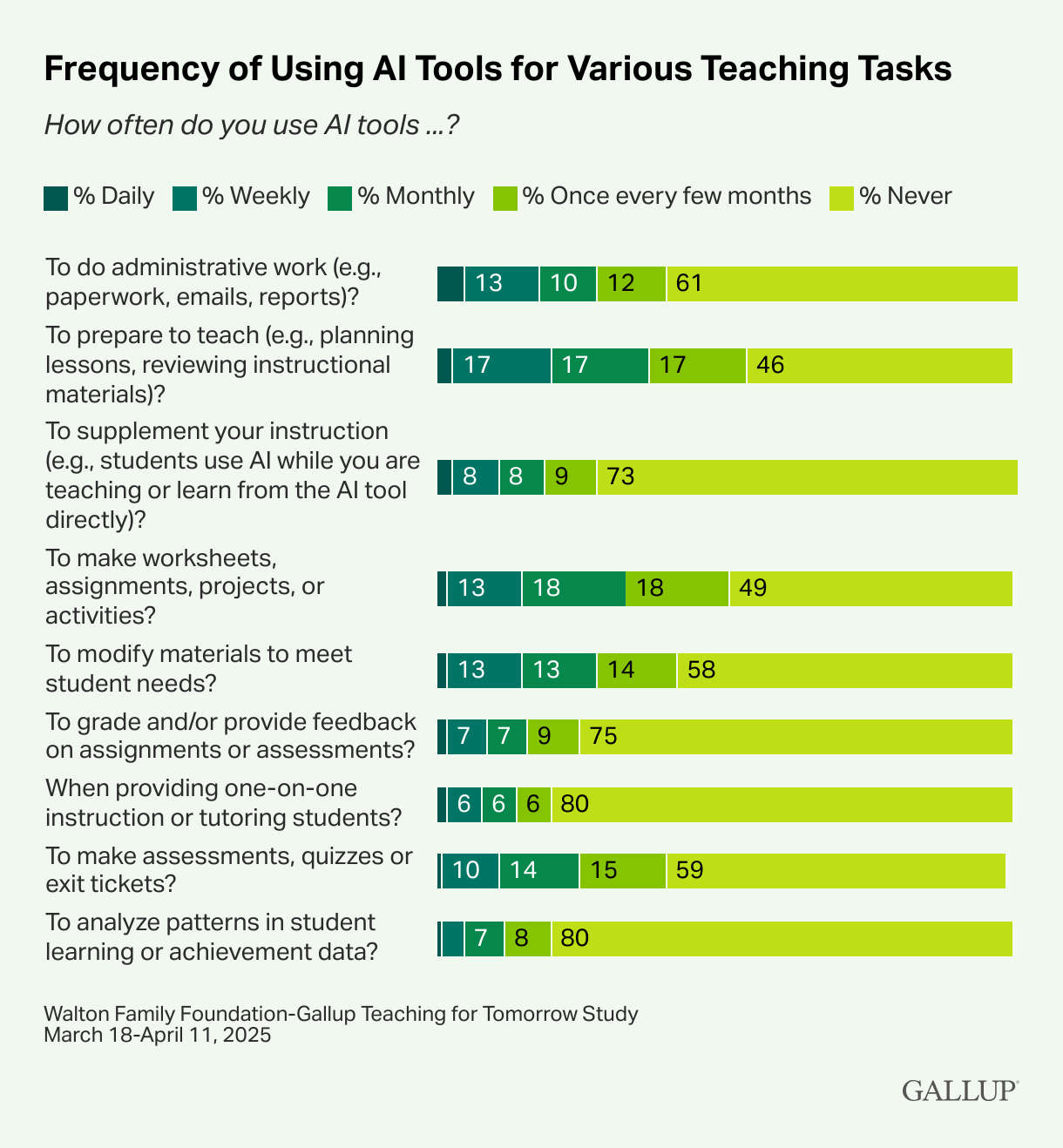
Source: Walton Family Foundation-Gallup Teaching for Tomorrow Study
But there's one part of my week that no chatbot has touched: the endless shuttling of words between Chrome tabs to set up Canvas, our learning management system, with detailed pages for each lesson and assessment. I'm tired of it.
I've spent a few years using the Canvas API to build tools for administrators, teachers, students, and parents, so I figured I'd try to wrangle Claude Code into automating some of this work. Along the way, I keep running into a term: MCP, or Model Context Protocol. Eventually it clicks. MCP is just a bridge between a chatbot and an external tool. Canvas, for example.
On a lark, I google "Canvas MCP."
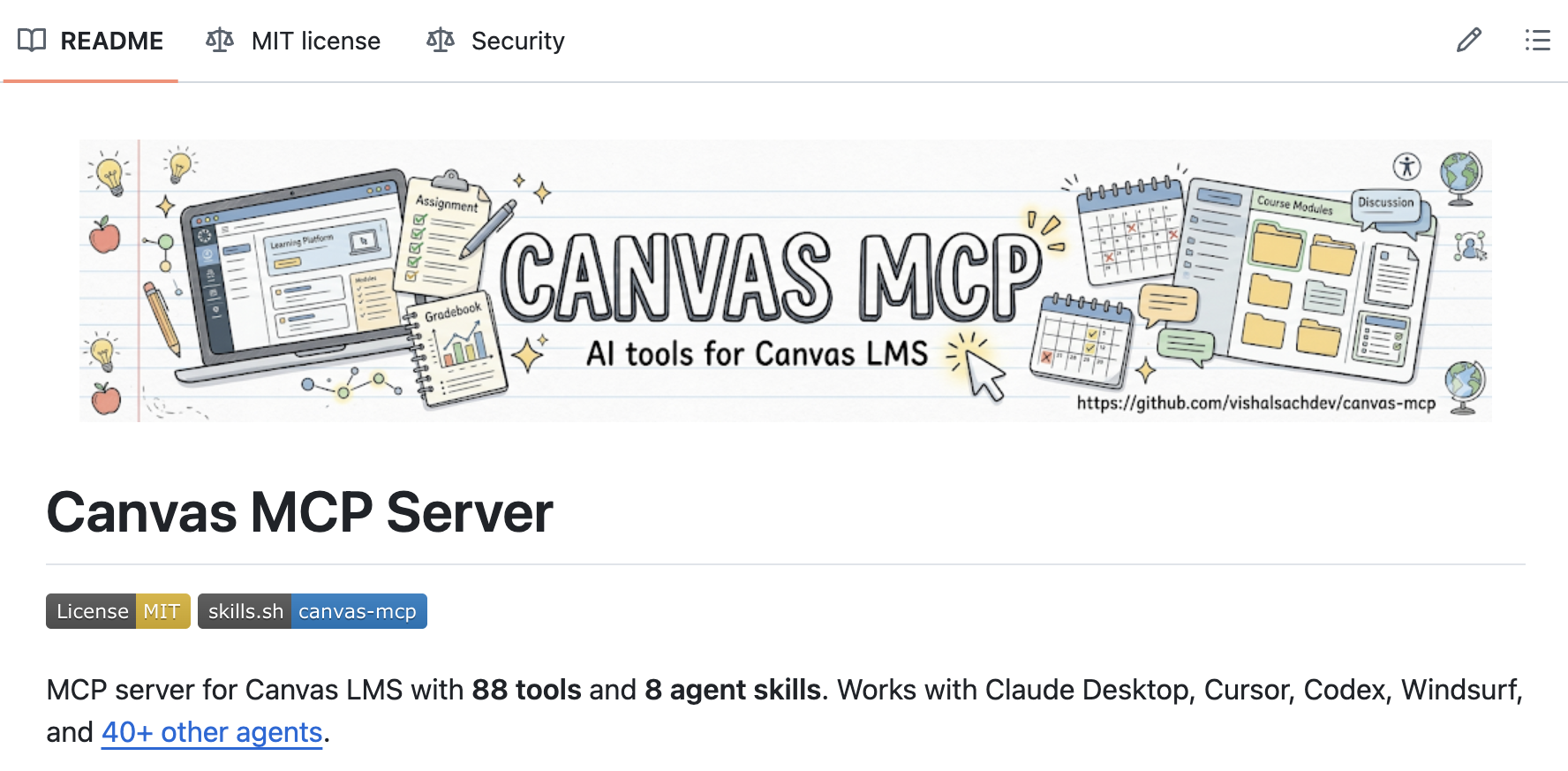
Source: Canvas MCP Server by Vishal Sachdev
Angels sing from the heavens. If I can connect Claude to a Canvas MCP, I can quit the copy-paste and do all of my work in one place. No more toggling between tabs. No more ⌘C ⌘V.
I follow some instructions, struggle for a bit with configuration, and then… hello world.
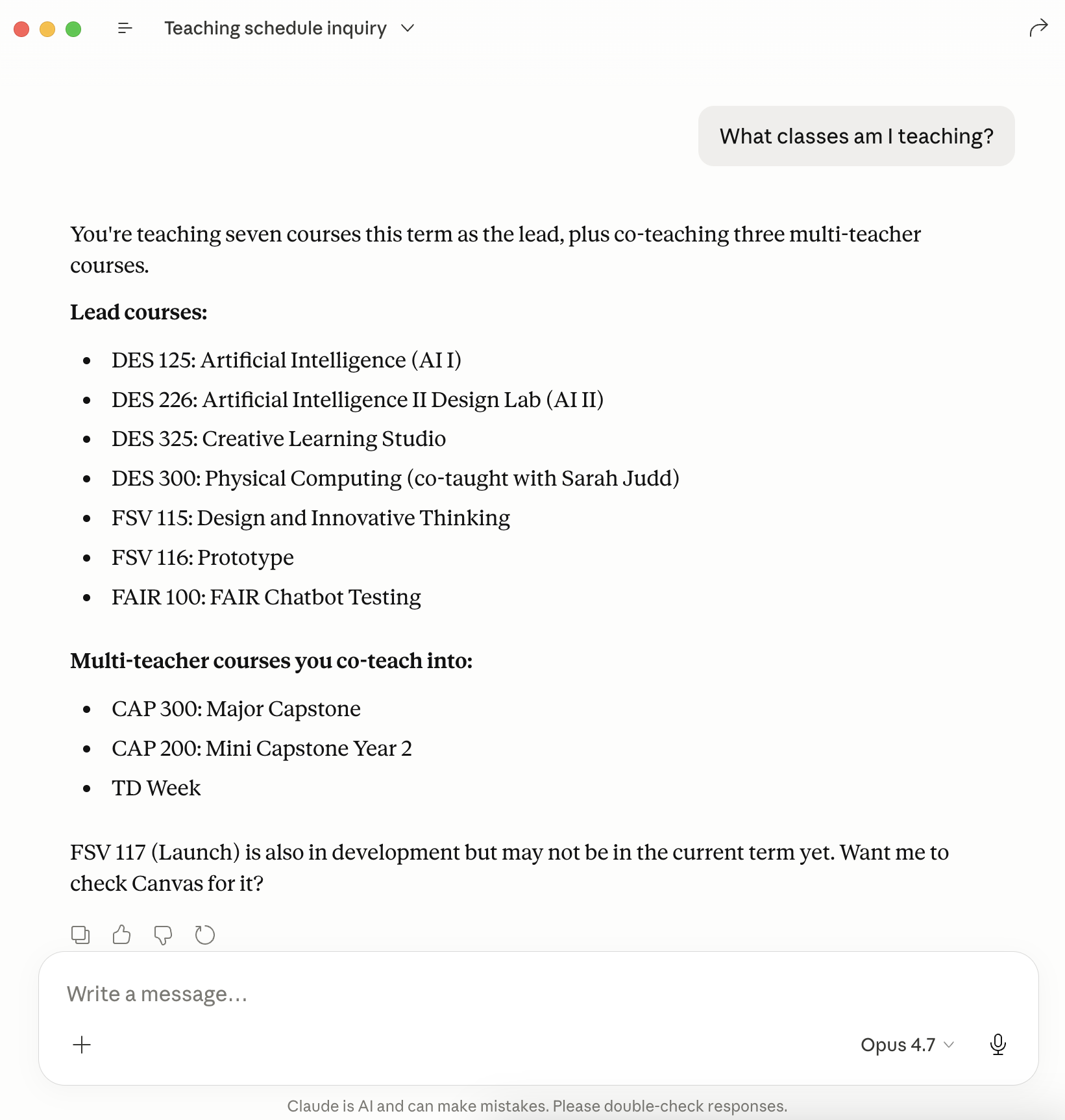
Here's the thing about AI agents that took me a while to internalize. You don't need to tell them exactly how to accomplish a task. You give them the tools, you describe what you want, and they figure out which tools to use and how to combine them. The Canvas MCP is essentially a toolbox the agent reaches into. It gives the agent the ability to create, read, update, and (gulp) delete any information on Canvas.
So now I plan lessons and assessments with Claude, and then just ask it to post the content to Canvas. I can have it retrieve all the student submissions for an assignment. I jot down rough notes for feedback, and Claude refines them and pushes comments directly into the gradebook. It can build rubrics and use those rubrics to score work.
This workflow is saving me hours every week. Hours I can spend developing stronger relationships with my students. Hours I can spend improving my automations and building new ones.
When administration asked if we could automate a daily report flagging any student who received a D or F on an assignment that day, it took a few prompts. Now we get a Slack message at 5 p.m. every weekday.
When a teacher had to leave our school in March, I built a detailed transition report for the incoming substitute. What had been taught and assessed, what hadn't, and which students were at risk.
When I learned how much time our Department Leads were spending checking every Canvas page and assessment against a long list of compliance requirements, I deployed an automated report that drops a fresh Google Doc into their folder each week.
None of these were on my roadmap. They're emergent capabilities — what becomes possible the moment you connect a capable AI agent to your learning management system through an MCP.
And I'm going to teach you how to do it.